


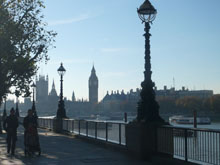
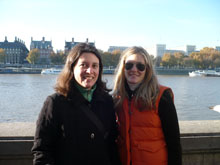
This is the second of our two Live from London 'Christmas specials'. We went to the South Bank and asked people about their resolutions for the new year.


Saving the the podcasts to your computer
To save the podcast files to your computer, simply right-click on the file and choose the 'Save target as' option. Select the folder that you would like to save the podcast in and then click 'Save'.
Downloads
Click link to download and view these filesLive from London: New Year
Other, Size 1.13 mblive from london new year listening activities and transcript
PDF, Size 0.62 mb
Topics
- Adults
- Audio
- B1
- B2
- British English
- C1
- Celebrations / Holidays / Festivals
- Clothes
- Crafts & Projects
- Culture
- Drink
- Economics
- Education
- Facts
- Festivals
- Film & TV
- Food
- Geography & Places
- Health & Well-being
- History
- Integrated Skills
- Intermediate
- Leisure
- Lesson Plan / Teacher's Notes
- Listening
- Mixed Ability
- Nature
- People & Individuals
- Politics
- Pre-Intermediate
- Printable Worksheet
- Science
- Shopping
- Social Media
- Sport
- Technology
- Teenagers
- Travel
- Up to 45 mins
- Up to 60 mins
- Upper-Intermediate
- Whole Class
Live from … authentic podcast lessons

A series of innovative podcast lessons featuring authentic interviews. We went out and about in London and further afield asking members of the public a series of questions and recorded their answers. Each podcast comes with a set of worksheets plus a transcript of each interview for you to use ...
- 1
- 2
- 3
- 4
- 5
- 6
- 7
- 8
- 9
- 10
- 11
- 12
- 13
- 14
- 15
- 16
- 17
- 18
- Currently reading
Live from London: New Year
- 20
- 21
- 22
- 23
- 24






No comments yet